From planning a trip to booking and keeping documents on the road, everything now happens on the phone. But does a travel company need its own mobile app, or is a mobile-friendly website enough? This article explains what a travel app gives a business, when it pays off, which features matter and how an app is built.
What a travel app gives a business
- Repeat sales: the app stays on the customer’s phone; for the next trip they come straight back to you instead of searching.
- Push notifications: instant news about schedule changes, online check-in opening, new tours and offers.
- Service during the trip: e-ticket, hotel voucher, insurance, transfer details and the guide’s contact in one place, even offline.
- Loyalty: bonuses, cashback and personal offers work better in an app.
- Data: you see more precisely what customers search for and buy.
Do you need an app? Website, app or PWA
Not every travel company needs an app. Compare the three options first:
| Mobile-friendly website | PWA (web app) | Mobile app (iOS, Android) | |
|---|---|---|---|
| Installation | Not needed | Not needed, added to the home screen | From the App Store and Google Play |
| Found on Google | Yes | Yes | No (only in the store) |
| Push notifications | No | Limited | Full |
| Works offline | No | Partly | Yes |
| Best for | Every agency — the first step | Those who want their site to feel like an app | Companies with repeat customers, an agent network or in-trip services |
An app pays off if: customers travel several times a year (corporate trips, pilgrimage tours), you have many sub-agents, you provide services during the trip (transfers, excursions, guides) or you want a loyalty programme.
It may be too early if: most customers travel once a year and your website doesn’t yet work well on mobile. Then a fast mobile site with online booking brings more results first.
Key features of a travel app
- Search and booking: flights, hotels and tours from the same booking engine as the website.
- Online payment: cards, Apple Pay and Google Pay.
- “My trips”: e-tickets, vouchers, insurance policy and itinerary, available offline.
- Notifications: schedule changes, check-in time, payment reminders.
- Contact: chat, WhatsApp, a 24/7 support button.
- Profile and documents: passport details are saved, so the next booking is faster.
- Loyalty: bonus balance, promo codes, personal offers.
B2B app for agents
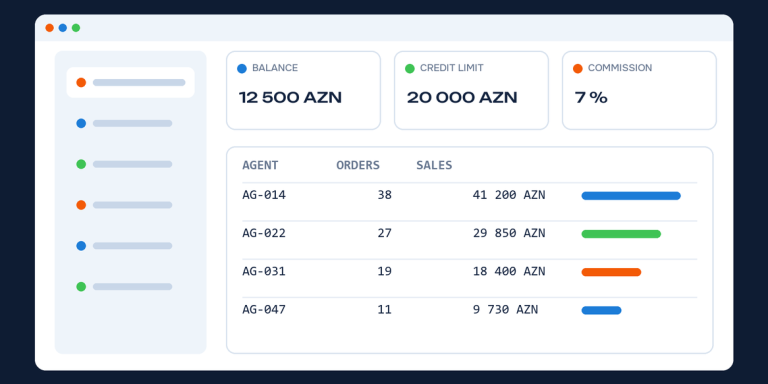
For tour operators and consolidators with sub-agents a separate app is useful: agents check prices, book and track their balance and commission from their phone. It is the mobile version of a B2B agent portal.
How it is built: native, cross-platform and PWA
- Native (Swift, Kotlin): a separate app per platform; the best performance, but two codebases.
- Cross-platform (Flutter, React Native): one codebase for both iOS and Android; the optimal choice for most travel apps.
- PWA: a version of the website that works like an app; the cheapest start, but limited on iOS.
The most important technical decision: the app and the website should use the same booking engine and the same API. Then prices, bookings and customer profiles are identical everywhere and you don’t maintain two separate systems.
Development stages
- Goals and feature list: what must be in the first version.
- Design and prototype.
- Development and integration with the booking engine.
- Testing: real bookings, payments, different phones.
- Publishing on the App Store and Google Play. An Apple Developer account costs USD 99 per year and a Google Play account a one-time USD 25; both stores review the app.
- After launch: updates, analytics and improvements based on user feedback.
How to measure success
- number and source of installs;
- monthly active users;
- share of bookings and sales coming from the app;
- retention rate;
- store rating and reviews.
What drives the cost
The cost of a mobile app depends on the number of features, the platforms (Android only or both), the design level and the scope of integration with the booking engine. If the website’s booking engine already works through an API, the app uses that API and the cost drops significantly. Store accounts and regular updates come on top.
If you don’t yet have a mobile-friendly website with online booking, we recommend starting with a travel website. See also the flight and hotel booking systems that power both the site and the app.
Frequently asked questions
Does a small travel agency need a mobile app?
Usually it isn’t the first step. For a small agency a fast, mobile-friendly site with online booking brings more customers. An app makes sense once the repeat customer base or agent network grows.
Will prices in the app and on the site be the same?
Yes, if both run on the same booking engine. Some companies give an extra discount in the app to encourage installs.
Can an app be found on Google?
The app itself doesn’t appear in search results; people find it in the store. That’s why an app doesn’t replace the website: new customers come to the site through Google, and the app helps keep them.
How long does development take?
It depends on the feature set. If the booking engine already exists, a first version with core features can be ready in a few months; after that the app is improved in stages based on user feedback.