technology
Corporate email
Corporate email means secure mail on your company domain: your staff sign in from any device, messages are encrypted, and spam and fake emails are filtered out.
- Addressname@yourcompany.az
- AccessBrowser, phone, Outlook and other apps
- SecurityEncryption, spam filter, whitelist and blacklist
- SetupWe handle domain and DNS settings
- Timeline and priceIn a written proposal after the specification
How we set up corporate email
We configure your domain’s DNS records (MX, SPF, DKIM, DMARC) so your emails do not land in the recipient’s spam folder and nobody can send fake emails in your name.
Mailboxes are created for each employee, along with shared addresses (sales@, booking@) and forwarding. Mail is available in the browser, on the phone and in apps such as Outlook.
When you need to send bulk emails to customers, mailings go through a separate channel so the reputation of your main address is protected. The spam and phishing filter stops fake payment emails sent in a supplier’s or bank’s name before they reach staff.
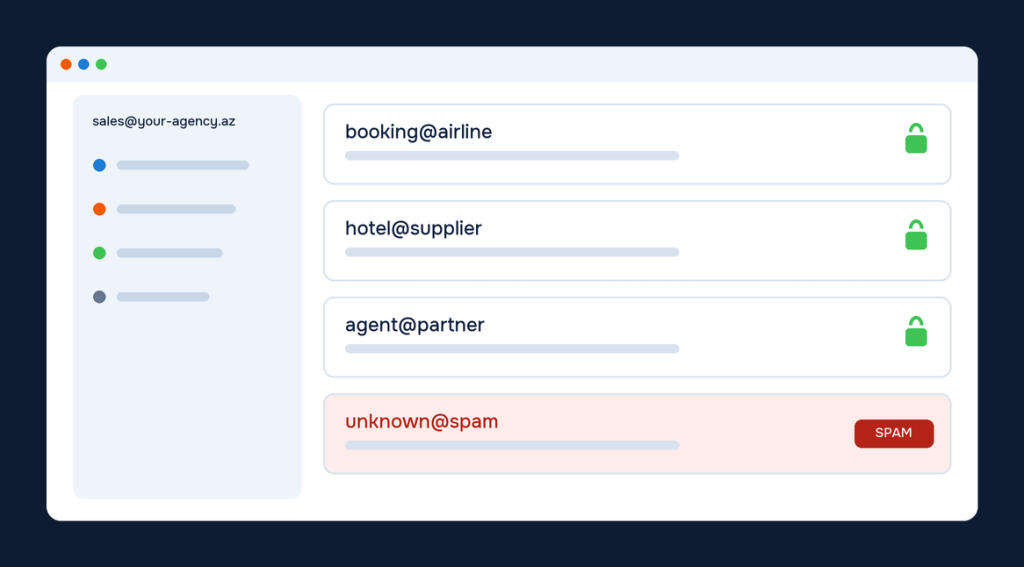
What is included
Email is the face of your company: messages must arrive and fraud must be stopped.
Secure sending
Messages are sent over an encrypted channel and stored encrypted.
Spam and phishing filter
Suspicious messages are separated before they reach the user.
Whitelist and blacklist
You manage trusted and blocked senders yourself.
From any device
The same mailbox from the browser, phone and mail apps.
Customer mailings
A separate system for sending news and offers to customers.
Who it is for
This solution simplifies daily work for these companies.
Companies on Gmail or Mail.ru
For those who want to stop writing to clients and suppliers from personal addresses.
Phishing targets
For agencies that want protection from fake payment and booking emails.
Growing teams
For companies that want to manage mail access centrally when people join and leave.
How we get started
You know what is ready at every stage; timeline and price are agreed in writing beforehand.
Domain
We check your domain and current mail service.
DNS
We set up MX, SPF, DKIM and DMARC records.
Mailboxes
We create mailboxes for staff and shared addresses.
Migration
We move old emails and connect devices.
Frequently asked questions
Did not find your question? Message us on WhatsApp.
Can old emails be moved over?
Yes. We migrate messages from your existing mailboxes to the new email.
What if our domain is registered elsewhere?
Not a problem. Wherever the domain is, we set up the required DNS records.
How do you keep our emails out of spam?
We set up SPF, DKIM and DMARC records so receiving servers can verify that messages really come from you.
How large is a corporate email mailbox?
It depends on the chosen plan. We prepare a proposal for your needs and can increase it later.
What happens to an employee’s emails when they leave?
The mailbox is closed and the emails are kept in an archive or in a colleague’s mailbox. No correspondence is lost.
How do we use corporate email on a phone?
It connects to standard mail apps (iPhone Mail, Gmail, Outlook). We send connection instructions to every employee and help with the first setup when needed.
Related solutions
Modules most often used together with this service.
Articles on this topic

SEO for travel websites: a practical plan to rank on Google
SEO for travel websites: keywords, site structure, unique content, technical SEO, Google Business Profile, links, measurement and what drives the cost of…

Google Ads for travel agencies: a practical guide to getting customers
Google Ads for travel agencies and tour operators: campaign types, destination keywords, negatives, ad copy, budget, conversion tracking and common mistakes.

Mobile app for a travel company: when you need one and what it gives
A travel app for your company: benefits, website vs PWA vs app, key features, B2B agent app, development stages and what drives…
Let’s discuss your project
In a free consultation we learn what you need and prepare a written proposal.